Summary
RollUp is a local sushi restaurant in San Jose that wanted to improve its online ordering experience. Their customers—mostly busy professionals and parents—found the existing process slow, confusing, and lacking transparency around fees.
Goal: Create a mobile app that lets users order sushi quickly, easily, and confidently—without hidden fees or complicated steps.
Role & Team
My Role: UX Designer
Team: Solo project - I led the full end-to-end design process
What I did:
- User interviews & research synthesis
- Personas & journey mapping
- Wireframing (paper & digital)
- Usability testing (2 rounds)
- UI design & high-fidelity prototyping
- Accessibility improvements
How I used AI in the design process:
- Summarized interview transcripts
- Generated early affinity clusters
- Identified patterns & user sentiment
- Created first-draft personas
- Evaluated clarity of early flows
- Flagged accessibility issues like low contrast
Using AI allowed me to spend more time designing meaningful solutions instead of manually processing repetitive research tasks.
Understanding Users
Research Summary:
I interviewed working adults—parents, teachers, and busy professionals—who often need fast meals for themselves or their families.
Key Insights:
- Need for speed (minimal steps)
- Desire for clear pricing and no hidden fees
- Preference for customization (easy modifications)
- Need for simple navigation due to low tech-confidence in some users
- Importance of fresh, healthy options within a budget
Pain Points:
- Cluttered interfaces on other food apps made ordering slow
- Time constraints, users need rapid re-ordering
- Accessibility gaps (contrast, icons, screen-reader support)
User Personas
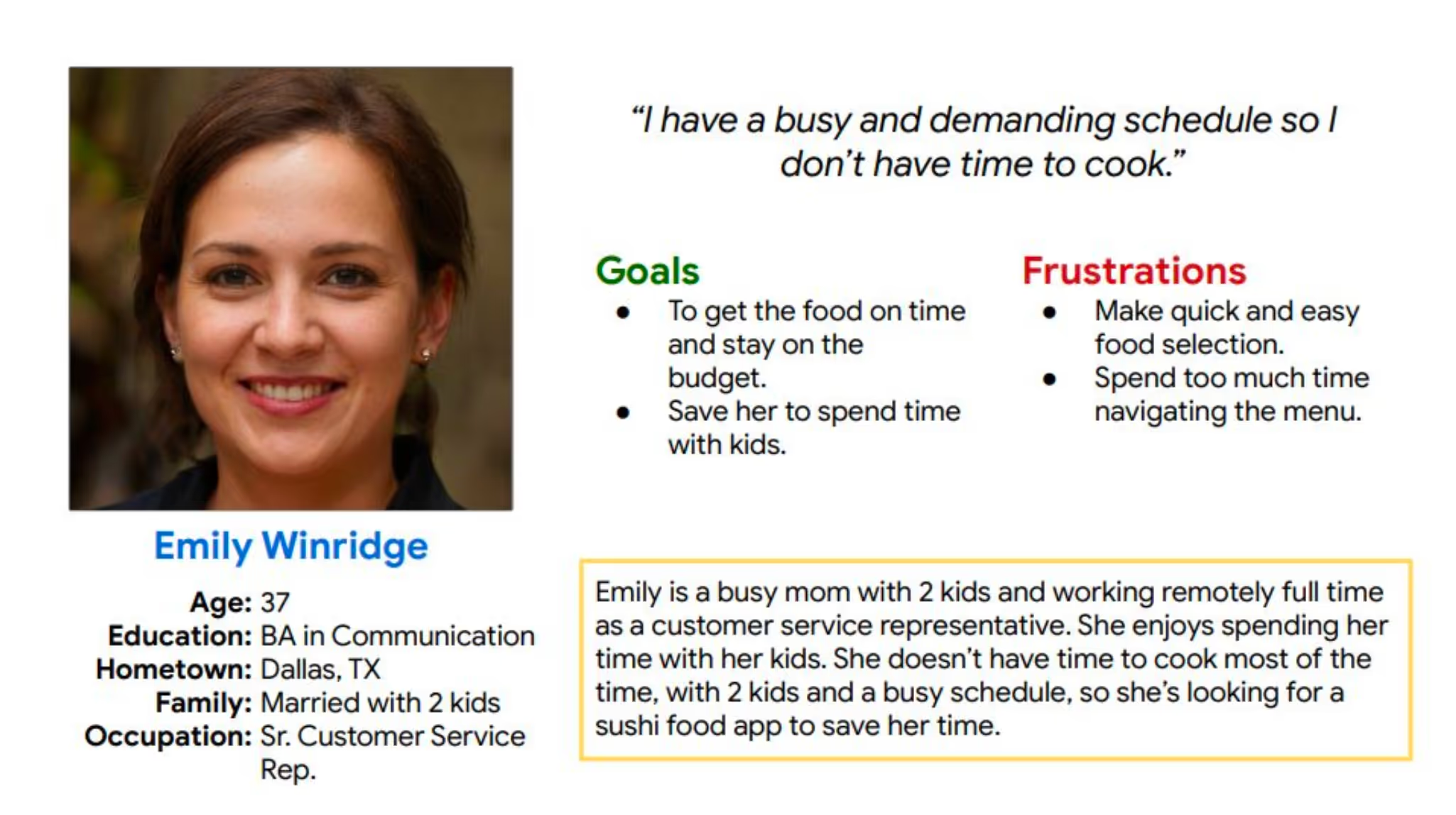
Emily, The Working Mom
Needs a fast, budget-friendly way to order dinner without hassle.
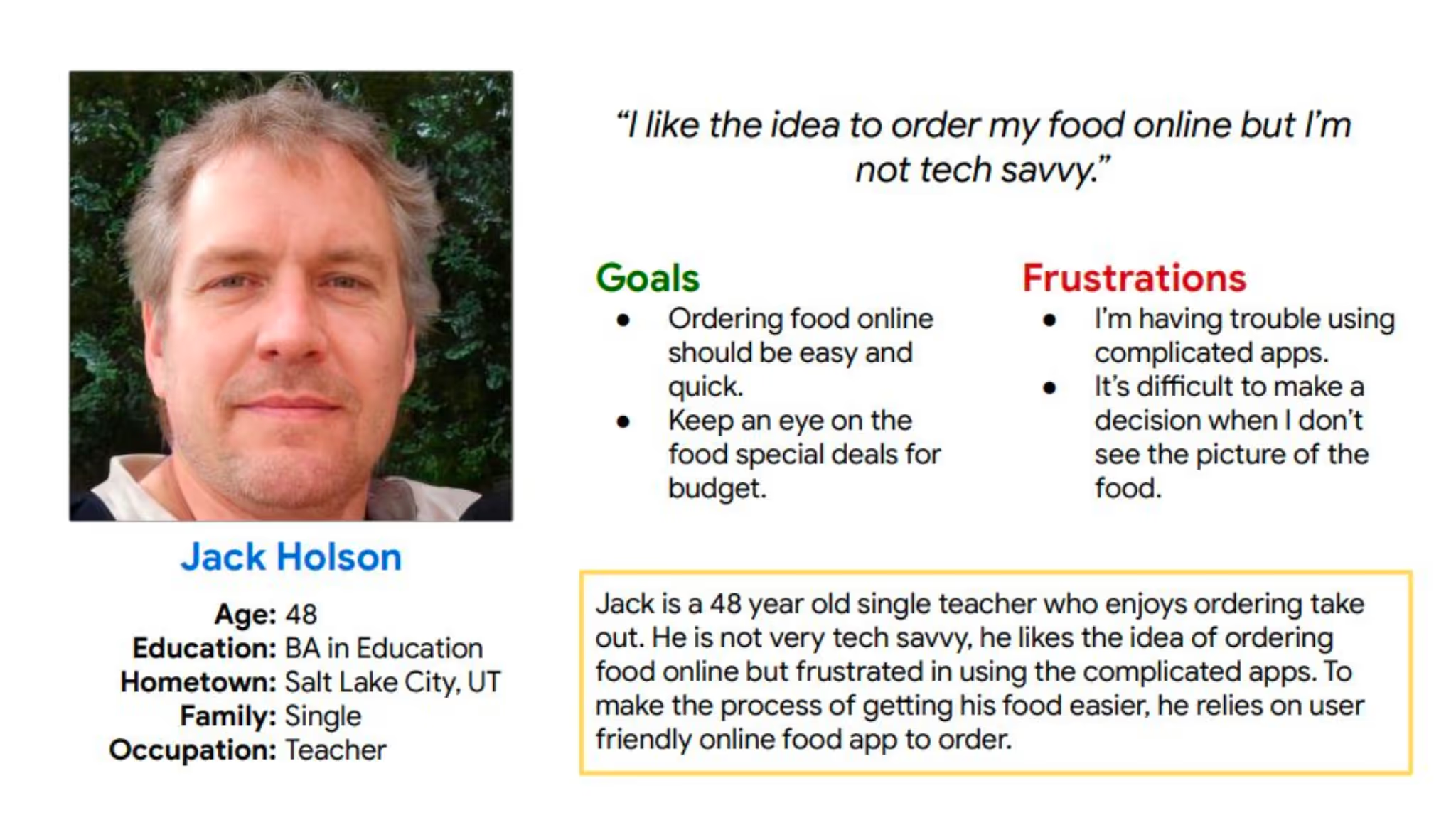
Jack, The Non-Technical Teacher
Needs a simple, intuitive interface because he’s not tech-savvy.
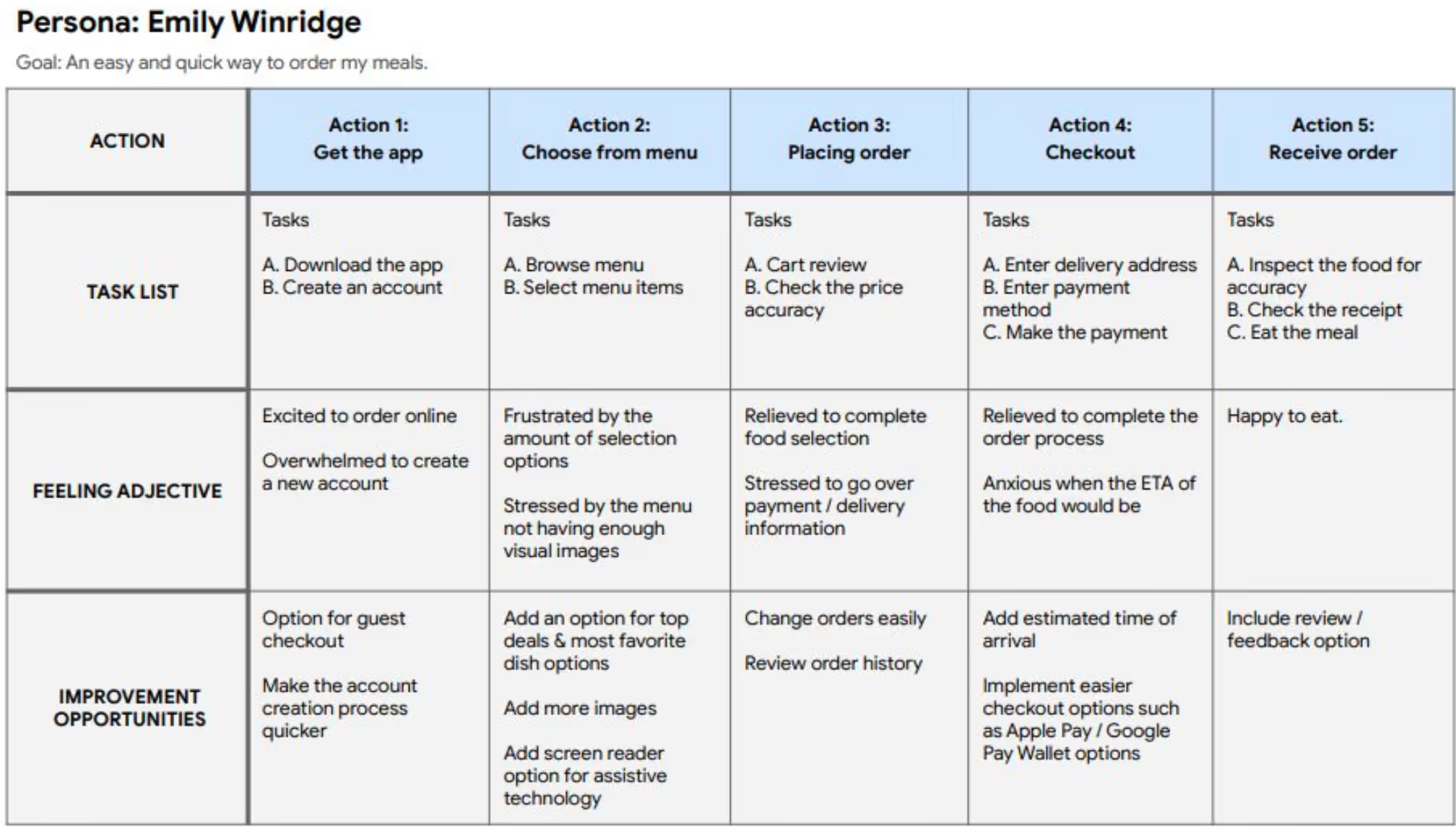
User Journey Overview
Mapping Emily’s path revealed critical friction in typical food apps—too many steps and unclear pickup/delivery options. This guided a simpler, more linear flow.
Initial Design
Paper Wireframes:
Explored layouts emphasizing quick ordering, easy category browsing, and visible customization.
Digital Wireframes:
User feedback drove early changes:
- Added a bottom navigation bar for clarity
- Introduced a prominent search bar
- Simplified menu grouping
- Added visible order modification buttons
Usability Testing
Two rounds of studies shaped the design significantly.
Round 1 findings:
- Users wanted a faster ordering path
- Needed better customization options for meals
- Preferred guest checkout without account creation
Round 2 findings:
- Color contrast failed accessibility standards
- Pickup vs Delivery flow was confusing
- Some labels were unclear and caused hesitation
Refining the Design
Design Decision #1 — Quick-Add Buttons
- Problem: Users weren’t sure how to add items quickly.
- Solution: Added visible “+” icons on all menu items.
- Impact: Reduced add-to-cart time and increased clarity.
Design Decision #2 — Simplifying Pickup/Delivery
- Problem: Users found the two-step flow confusing.
- Solution: Consolidated both options into the product details screen.
- Impact: Reduced steps from 4 → 2, improving flow efficiency.
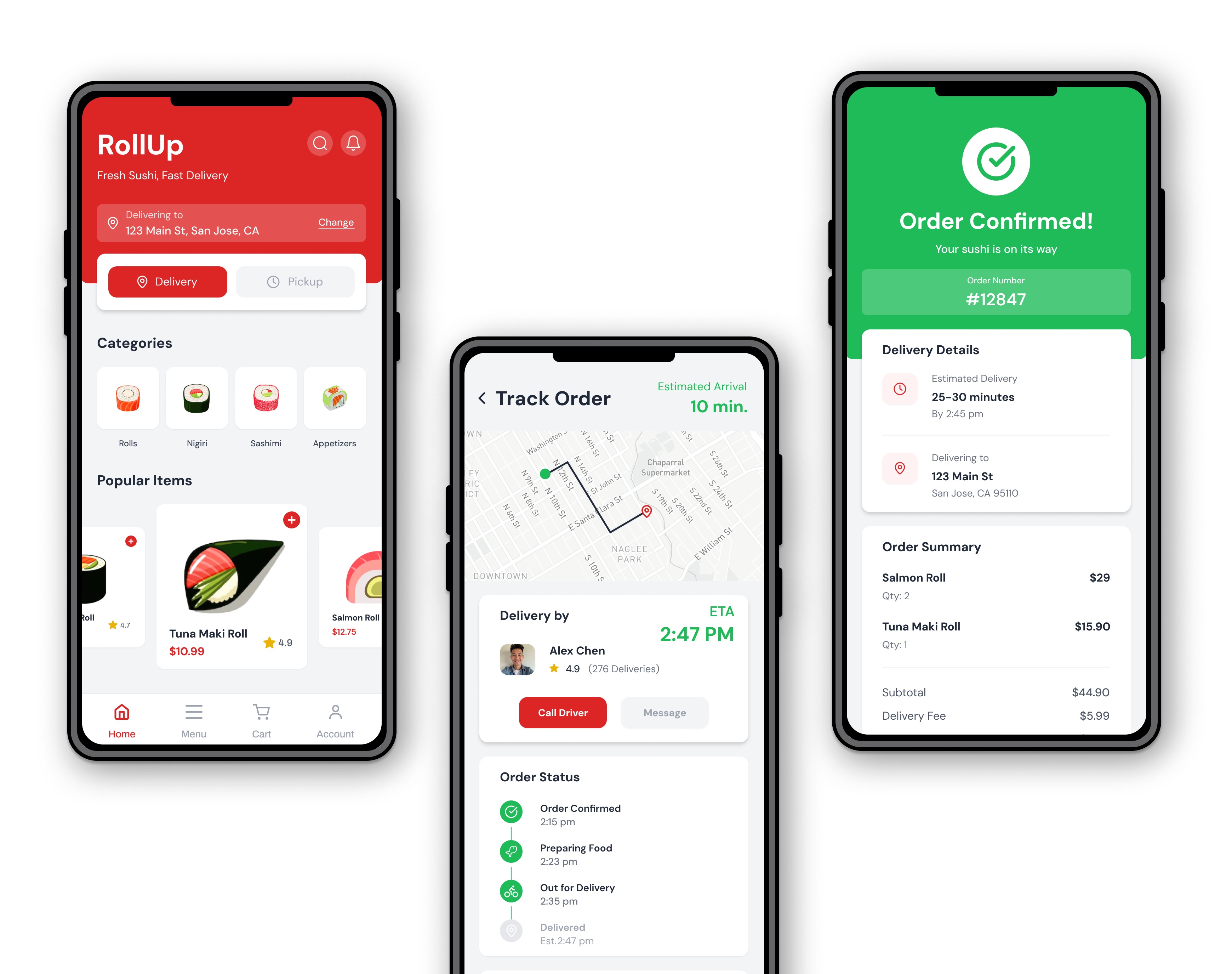
Mockups & High-Fidelity Prototype
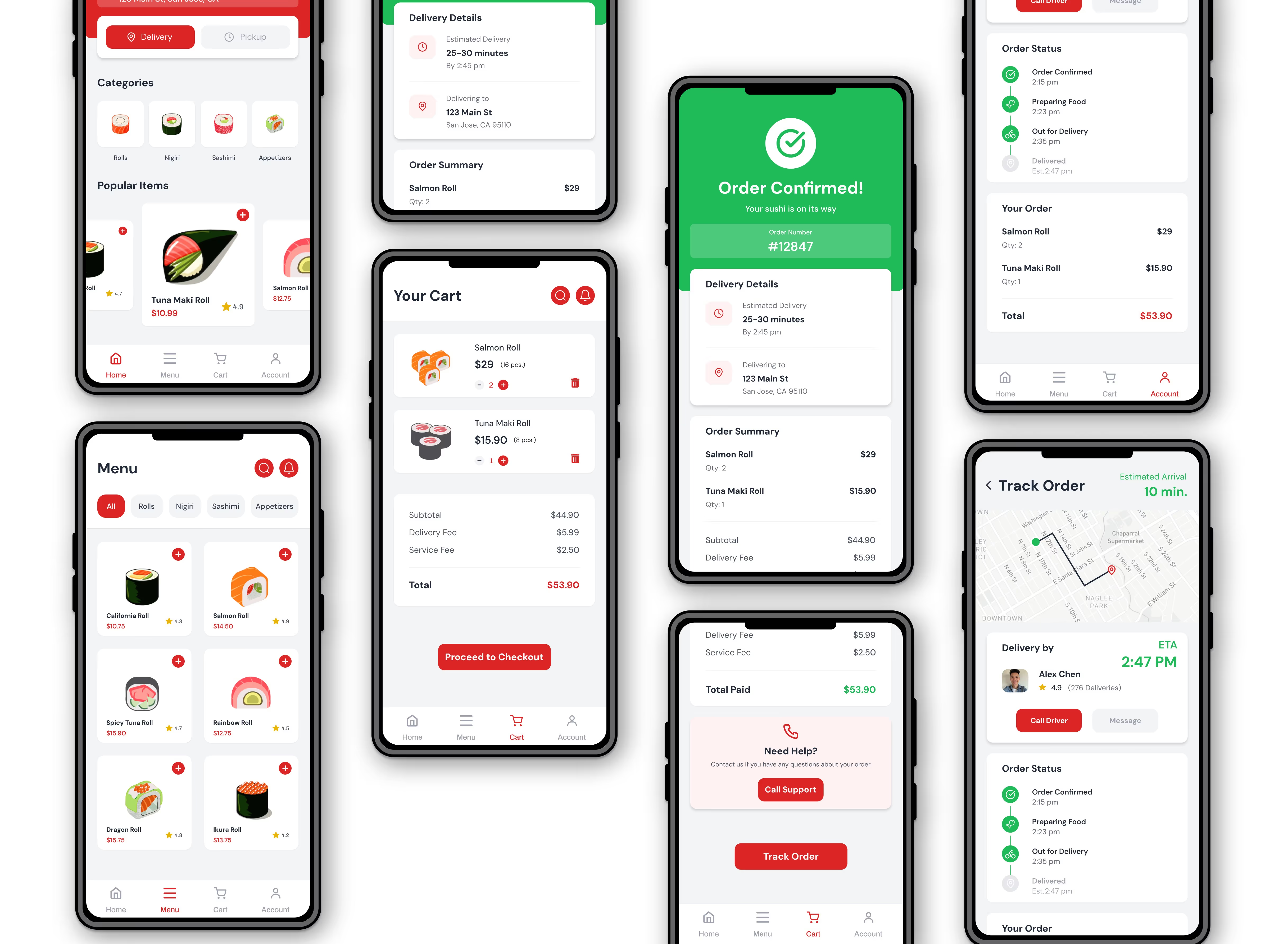
Final Mockup Designs:
- Higher color contrast
- Larger selection images for clarity
- Clearer price visibility
- Consolidated delivery options
- Improved navigation structure
Accesibility Considerations
- Improved color contrast to meet WCAG guidelines
- Added clear icon labels for assistive technologies
- Included voice-to-text search for visually impaired users
- Enabled quick translation options for non-English speakers
Impact
The updated design created a smoother, more intuitive ordering experience:
- Reduced ordering steps
- Clearer distinction between delivery and pickup
- Faster re-ordering with customization chips
- Better accessibility for diverse users
“I can definitely see myself using this. Super easy to follow!”
- from Study Participant
Next Steps
To continue improving the experience:
- Conduct another usability study with a larger sample
- Test menu categorization and layout options (A/B testing)
- Explore loyalty program integration
- Add delivery tracking and improved order history


.jpg)
