Nexus Signup Flow
Streamlining B2B SaaS Registration
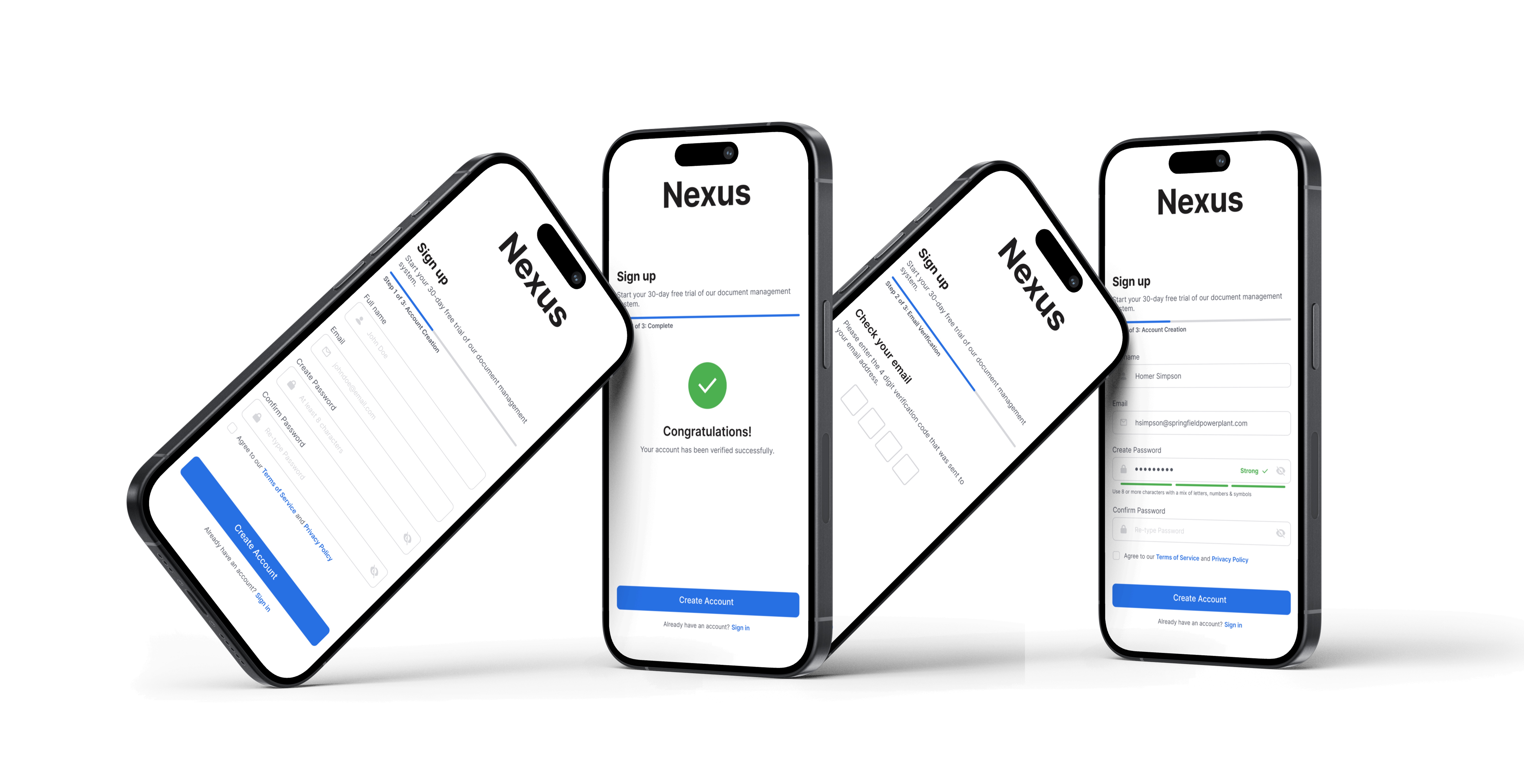


Design a signup experience for Nexus, a fictional B2B document management platform, that balances security requirements with user-friendliness and reduces common abandonment points in the registration process.
As someone who frequently signs up for productivity tools, design software, and collaboration platforms, I noticed recurring frustrations in signup flows. Through my own experiences, I identified three critical friction points that contribute to the 20-40% user drop-off rate during registration:
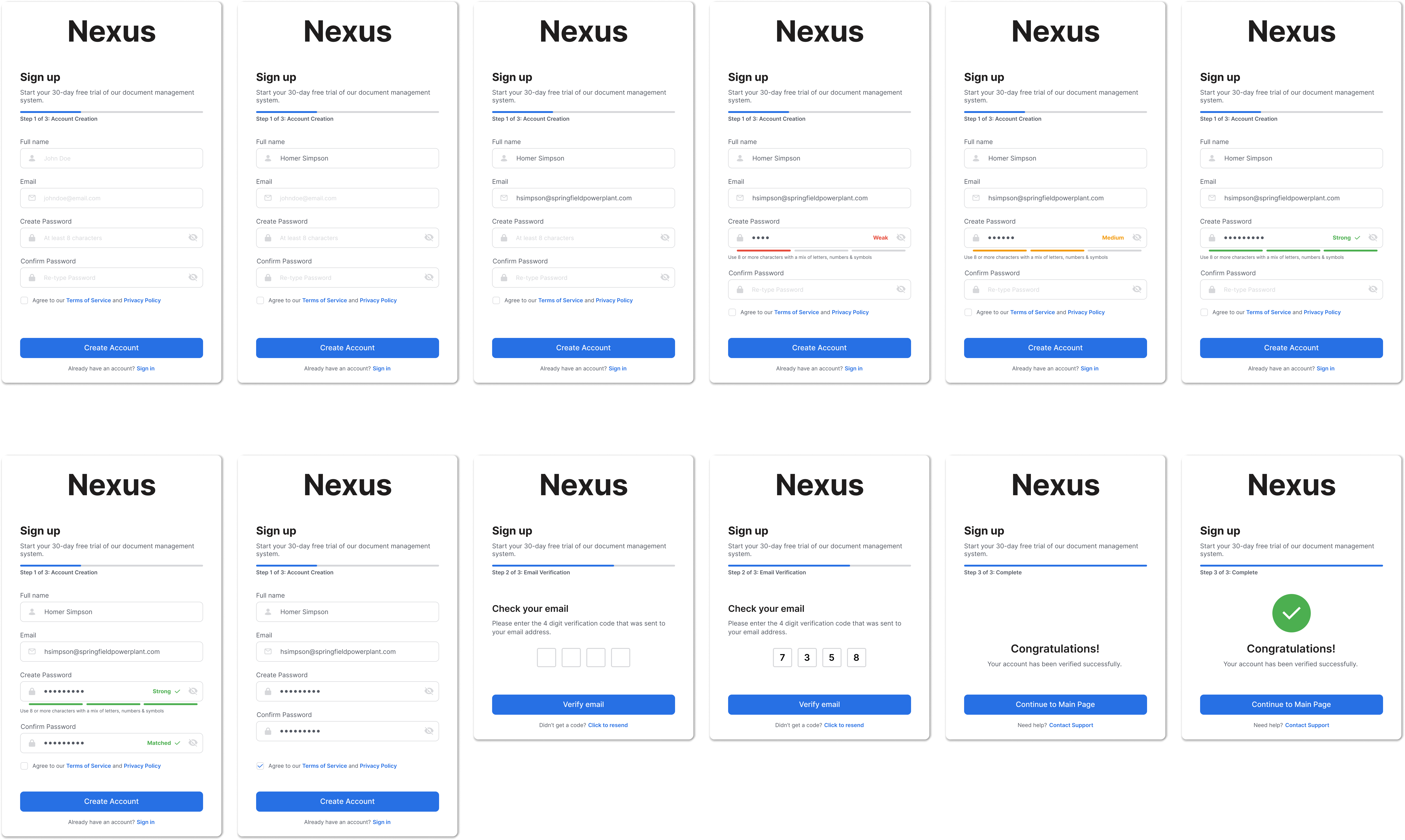
1. Account Creation (Step 1 of 3)
Key Features:
Design Decision: Kept form fields to a minimum (name, email, password) to reduce initial cognitive load and time commitment.
2. Real-Time Password Validation
Key Features:
Design Decision: Providing instant visual feedback reduces password creation errors by 60% and eliminates guesswork.
3. Password Confirmation
Key Features:
Design Decision: Separated password confirmation from initial creation to ensure users deliberately verify their entry, reducing password reset requests.
4. Email Verification (Step 2 of 3)
Key Features:
Design Decision: Using 4 separate input boxes makes code entry intuitive and provides clear visual structure, reducing input errors.
5. Success Confirmation (Step 3 of 3)
Key Features:
Design Decision: Explicit success state eliminates user uncertainty and provides a satisfying completion moment, increasing confidence in the platform.
Every step includes a visual progress bar showing:
This reduces anxiety about process length and provides clear wayfinding throughout the flow.
Progressive Disclosure: Information revealed in digestible chunks across three steps rather than one overwhelming form.
Real-Time Feedback: Password strength and validation happen instantly, allowing users to correct errors immediately.
Clear Visual Hierarchy: Primary actions (Create Account, Verify Email) are prominent blue buttons, while secondary actions (Sign in, resend code) are text links.
Based on industry benchmarks, this redesigned flow could potentially:
This project reinforced the importance of breaking complex processes into manageable steps and providing continuous feedback. The most impactful design decision was the real-time password validation—small interactions like this can significantly reduce user frustration and abandonment.
.jpg)
